Case Study
The Product Matrix
A chaotic spreadsheet, rebuilt into the portal that answers a sales team's most expensive question: can we actually sell this?
Role: Product design, data architecture, front-end build · Shift4, 2025
The problem
Deals closed on products we couldn't support
Whether a Shift4 product could be sold depended on the merchant's POS integration, their region, and their software version. That knowledge lived in a sprawling spreadsheet and in product managers' heads, so it routinely surfaced too late: pitch delivered, paperwork signed, installation underway, and then the discovery that this merchant runs Squirrel Cloud, and the integrated online ordering they were promised only exists for Squirrel legacy.
Sales coped the only way they could: messaging individual product managers mid-deal to ask whether what they were about to promise would actually work. Nobody trusted the spreadsheet, and the people who knew the answers had become the bottleneck.
The data
From spreadsheet tabs to a SQLite schema
The VP of Product handed me the source material: a spreadsheet with tabs for device types, POS integrations, features, and per-country availability, more than a thousand entries, each with its own configuration requirements. A spreadsheet that size can't be a source of truth; it can barely be read.
So the first work wasn't visual. I organized the data into a SQLite schema that made the relationships explicit: products, platforms, regions, integrations, and the support status connecting them. Once the data had real structure, the portal on top of it followed. Both the design and the engineering were mine.
The system
Spreadsheet
multi-tab source data
SQLite
structured schema
Portal + assistant
cited answers
Feedback loop
Datadog + flag button
Recreated architecture sketch. Usage data and flagged corrections feed back into the data, so the matrix stays accurate after launch.
The design
Built with the people who'd use it
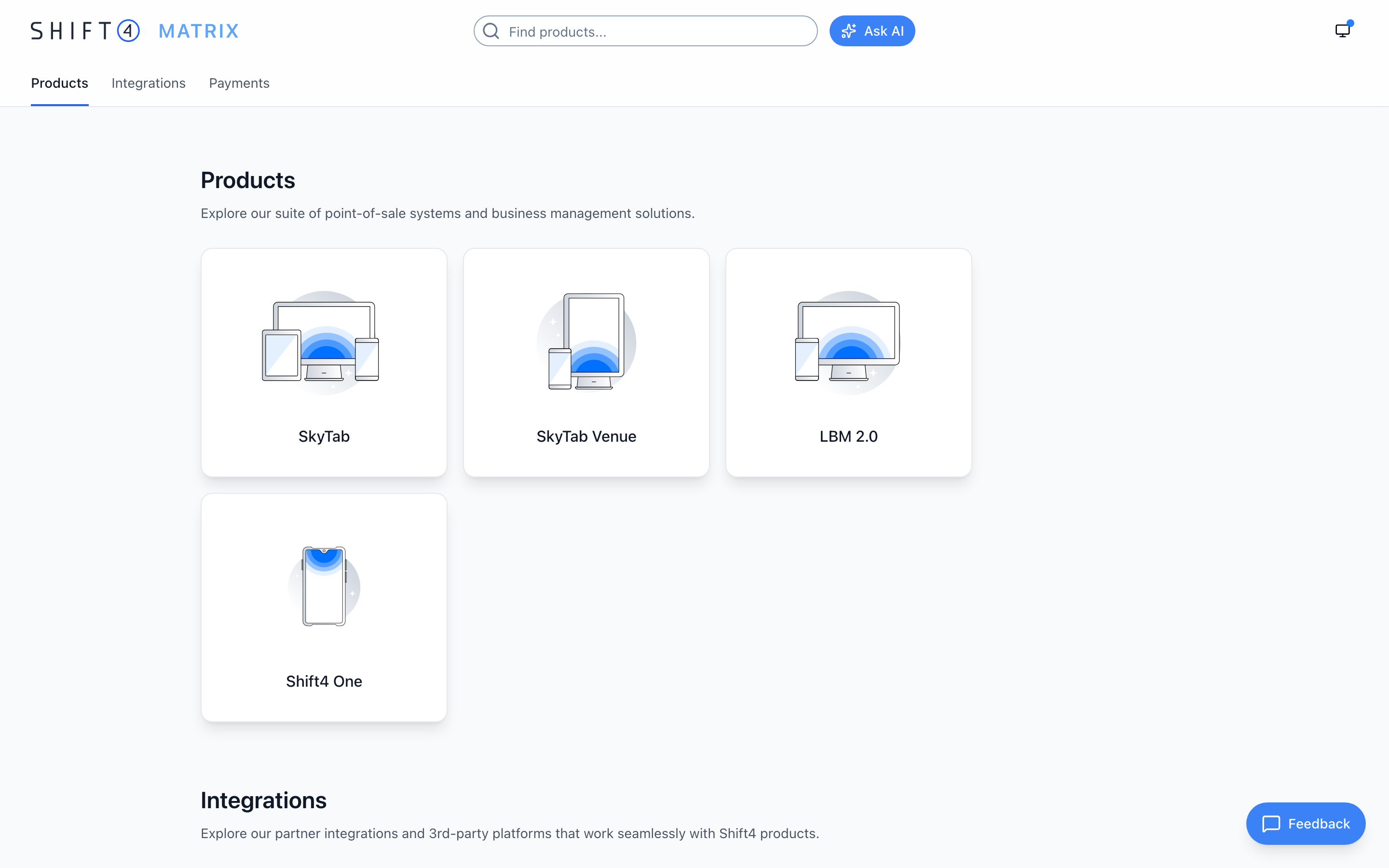
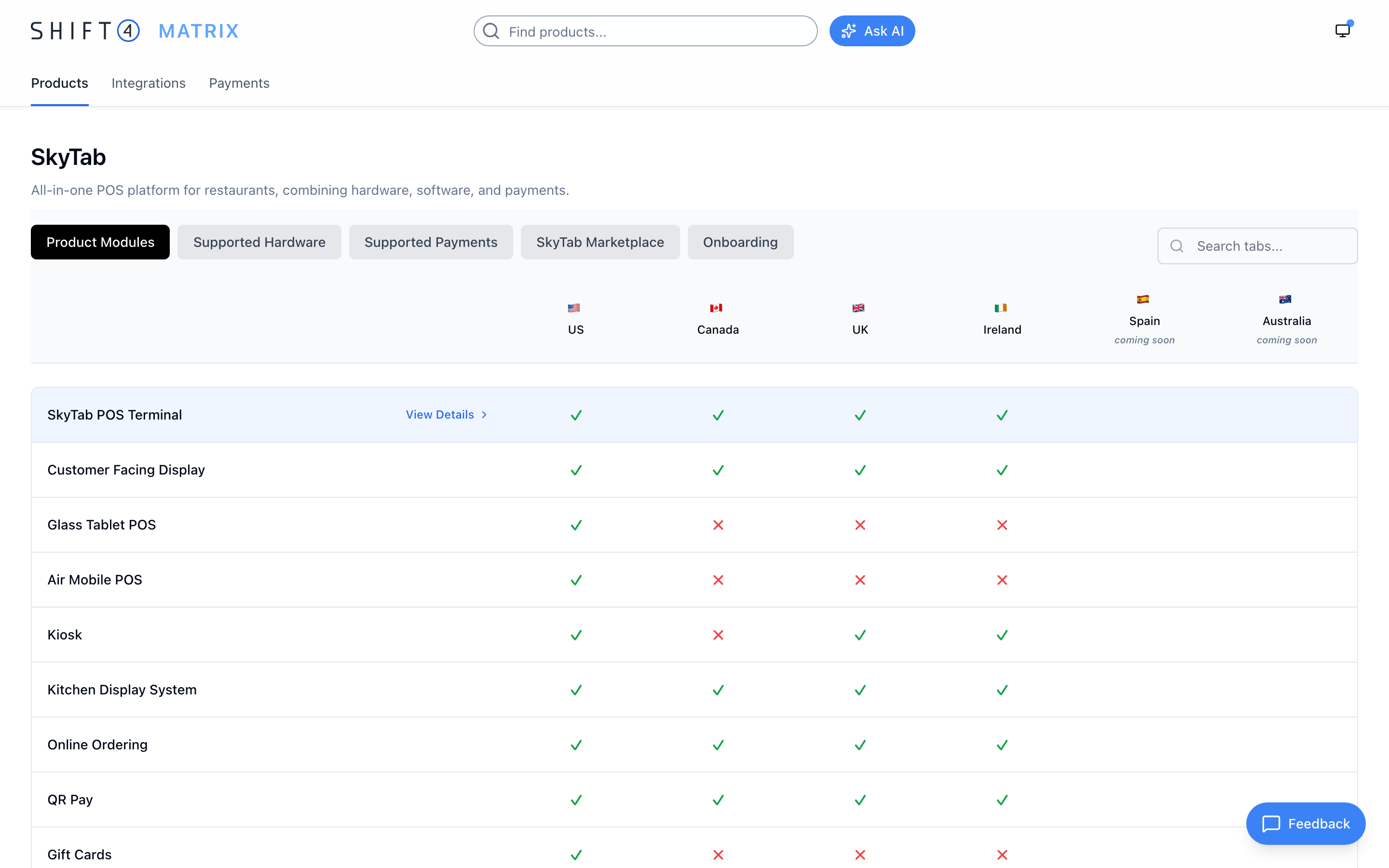
I went back and forth with the sales team throughout: what they needed to look up, what an answer had to include before they'd trust it, and where their deals had gone wrong before. The result is a matrix view: products and modules down the side, countries across the top, support status in every cell. The answer to “can I sell this here?” is a glance, not a Slack thread.
The assistant
An assistant that answers with citations
For reps mid-call, I added an AI assistant. Ask “can I sell SkyTab Mobile in Canada?” and it answers from the matrix data, with a citation that jumps straight to the relevant rows, so the answer is verifiable, not just plausible. The same grounding-plus-citations pattern I later used in the developer portal started here.
Keeping it honest
Keeping the data correct after launch
A reference tool is only useful while people trust it, so I instrumented the portal with Datadog and used the usage data to decide what to improve next. And because the underlying facts change, every page has a feedback button: spot an inconsistency, flag it, and the report lands with me automatically via a SendGrid-backed form. Corrections became a workflow instead of a favor.
The results
Did it work?
After rounds of user testing with the sales team, the portal launched and was adopted across the organization. Reps could answer availability questions themselves instead of chasing product managers mid-deal, and the feedback loop kept the data correcting itself as people used it.
For me, this was the project that proved how far one person can take a problem with persistence and Claude Code: from a spreadsheet nobody trusted to a working data model, portal, and assistant.
More case studies