Case Study
The Developer Portal
Scattered integration docs, rebuilt into a portal with an AI assistant that answers technical questions with cited sources.
Role: Product design, front-end build, AI architecture · Shift4, 2025
The problem
Documentation nobody could navigate
Shift4's integration knowledge lived in scattered sources: lengthy PDFs, internal wikis, and the heads of a few overloaded people. Developers and third-party integrators searched manually, asked support, or waited. Onboarding a new integrator was a high-touch, hours-long process for questions the docs technically already answered.
The telltale symptom: the same handful of questions, like how to retrieve an auth token after installation, arrived over and over through support channels. The answers existed. They were written down. But when finding an answer costs more than asking a human, everyone asks the human, and a few overloaded humans become the rate limiter on every integration.
The migration
Rebuilding the source of truth
Before the portal could answer questions, the documentation itself had to be rebuilt. I migrated the legacy docs wholesale, restructuring and reformatting everything into a consistent modern format, and I used AI to do the heavy lifting: converting formats, normalizing structure, and rewriting for consistency. The full migration, across five product areas, took me one day. Done by hand, it would have been weeks of someone's time nobody had. Clean, well-structured docs weren't just nicer to read. They became the fuel that made the AI assistant accurate.
The design
Every answer cites its source
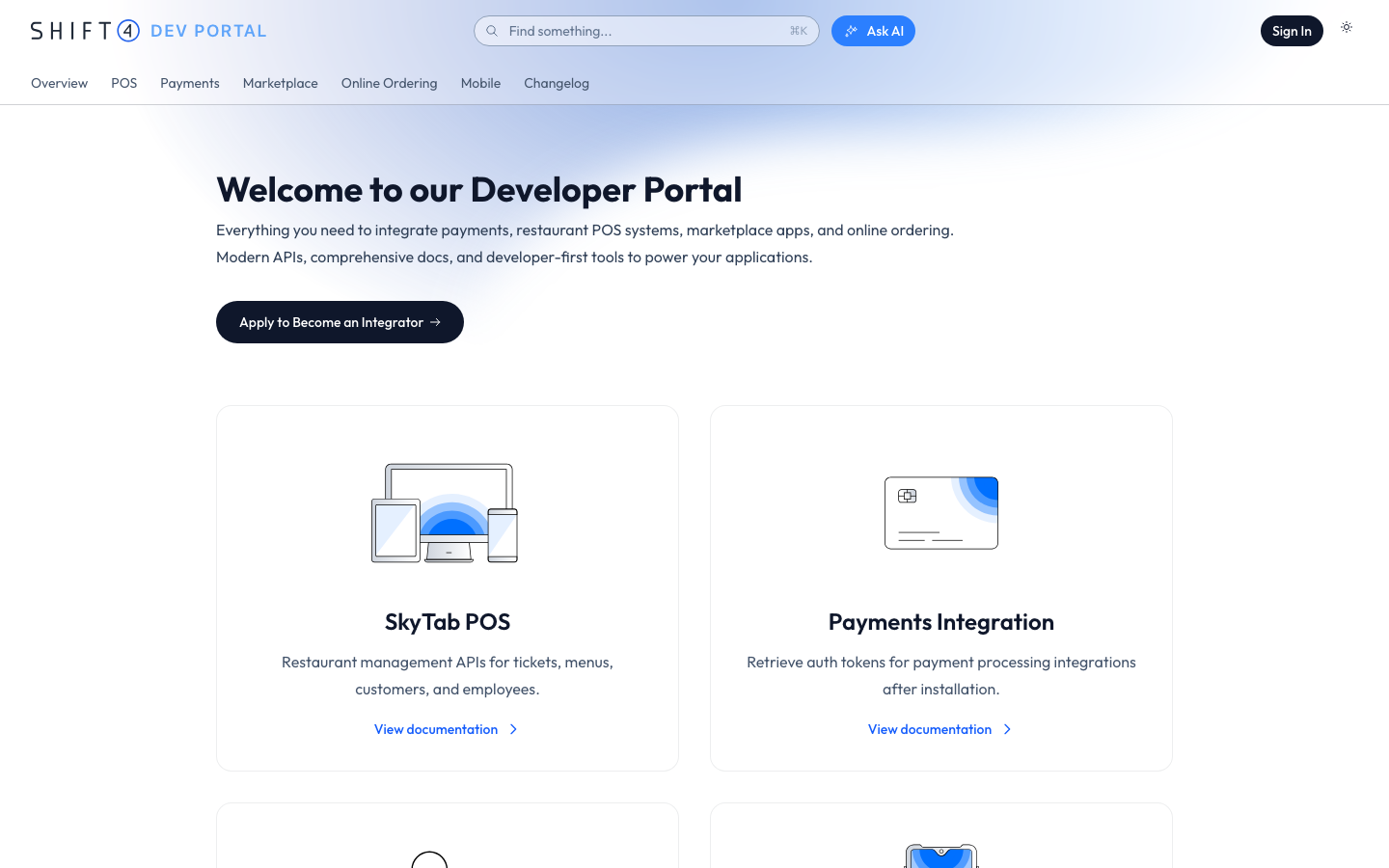
The portal itself is a clean documentation site: products, APIs, integration guides. The differentiator is the assistant. Ask it “how do I authenticate with the API?” and it generates a grounded answer, and every answer cites the specific documentation it came from. The citations were the critical design decision: they turn the AI from a magic box into a tool developers can verify, which is the difference between a demo and something people rely on.
The architecture
How answers stay grounded in the docs
Under the assistant is a retrieval pipeline: documentation is chunked and embedded into a vector database, questions retrieve the most relevant passages, and the model answers only from what it retrieved. Semantic search is combined with keyword matching so exact API names still win.
The pipeline
Docs
source of truth
Vector DB
embedded chunks
Assistant
cited answers
Re-embed
content team dashboard
Recreated architecture sketch. Questions retrieve embedded doc chunks; answers cite their sources; the dashboard re-embeds updated docs so the assistant never goes stale.
Keeping it current
Content teams re-embed docs themselves
An AI assistant is only as trustworthy as its most outdated document. So the system includes an internal dashboard where content teams update documentation and re-embed it into a fresh vector database themselves, with no engineering ticket, no bottleneck. Non-technical teams keep the assistant current, which is the part that makes the whole thing viable long-term rather than a launch-week demo.
Beyond the docs
Self-serve keys and automated onboarding
The portal grew into the front door for the whole integrator journey: a self-serve flow for third parties to get test API keys, automated go-to-market steps when an integration ships, and Monday-board integration so teams tracked requests inside the tools they already used. A manual, support-heavy process became self-service.
From the team
The stakeholder view, from the VP of Product Strategy:
“I was stunned by how quickly this came together and how comprehensive it was. Amy took our scattered documentation, migrated and reformatted all of it, and shipped a portal with a working AI assistant in a timeframe I didn't think was possible.”
Wajih Rahman
VP of Product Strategy · Shift4
The results
Did it work?
Developers found answers about 5x faster than the old search-and-ask workflow, and the assistant handled roughly 80% of common integration questions without a human in the loop. The questions that did reach support were the ones that actually needed a person: edge cases and account-specific issues, not “how do I authenticate.”
Shipped as a production application, React, Next.js, Tailwind, deployed on Vercel, and built AI-first: Claude Code was the primary development tool, which is itself part of the story this project tells.
The takeaway
Citations make AI a tool
The lesson I carry from this project: grounding plus citations is what turns an AI feature from impressive to trusted, and the unglamorous ops layer (who updates the docs? how does it stay fresh?) is where these systems live or die. I've applied both lessons to everything I've built with AI since.
More case studies